There is a kind of joy in special education that is difficult to put into words — the moment a child does something independently that they could not do before. I experienced one of those moments recently at Ashakiran Special School, Calicut, and it began with a very simple question: could our children prepare their own evening snack without someone guiding every step?
This is the story of how that question was answered, and what it taught me about the real role of digital learning in the lives of children with special needs.
Key Highlights
- 5 students from the Vocational Class took part in a one-week hybrid learning intervention.
- The skill taught was preparing aval (flattened rice mix), a real daily living task.
- Hands-on sessions were combined with VergeTAB for repeated digital practice.
- By the end of the week, all five students completed the activity independently.
The Objective: Building a Real-Life Skill
As part of a daily living skills programme, the teachers at Ashakiran decided to teach students how to prepare aval — a traditional Kerala snack made from flattened rice, jaggery, cardamom, coconut, and water. The goal was straightforward: for children to be able to make this snack on their own, from memory, without adult assistance.
The intervention involved five students from the Vocational Class and was conducted over the course of one week, using a structured hybrid learning approach that combined hands-on demonstration with digital practice. The intervention focused on helping students transfer classroom learning into an everyday life skill that could eventually be practised at home.
The first session was hands-on. Teachers brought in the real ingredients, sat with the children, and walked them through the activity together. The children participated, mixed the ingredients in sequence, and completed the task with guidance. By all visible measures, the session was a success.
The Challenge: What Happened After the Session
Following the initial hands-on session, when teachers tried to revisit the activity, the gap became clear.
Children could recognize the ingredients when shown physically, but they could not recall or correctly pronounce their names. They were unsure of the sequence, often adding ingredients in random order. The confidence from the first session had faded, and they needed step-by-step guidance all over again.
This is a challenge many special educators know well. Hands-on activities are powerful, but they rely on memory and retention — and for children with special needs, a single session is rarely enough. Repeating the same real-world activity multiple times is the logical solution, but it is not always practical. Sourcing ingredients, preparing materials, and managing a classroom activity repeatedly puts real pressure on time and resources.
The learning happened. What was missing was the repetition needed to make it stick.
Why Hybrid Learning?
Hands-on teaching gives children a real, physical understanding of a task — but memory fades without repetition, and repeating real-world activities is costly in time and materials. Digital practice solves the other half of the problem: it gives children unlimited, self-paced repetition with audio-visual reinforcement, without the logistics of resetting a real activity each time. Neither approach alone is enough — together, they reinforce each other.
The Turning Point: Introducing a Digital Version
Around this time, I reflected on a digital Christmas cake mixing activity we had run earlier in the year through VergeTAB. The engagement during that session had been noticeably stronger — children were curious, attentive, and recalled details better afterward.
Inspired by this, I introduced a digital version of the aval mixing activity using VergeTAB, the Digital Activity Book. Over the week, the intervention alternated between hands-on sessions and digital-plus-hands-on sessions, giving children repeated exposure through both channels.
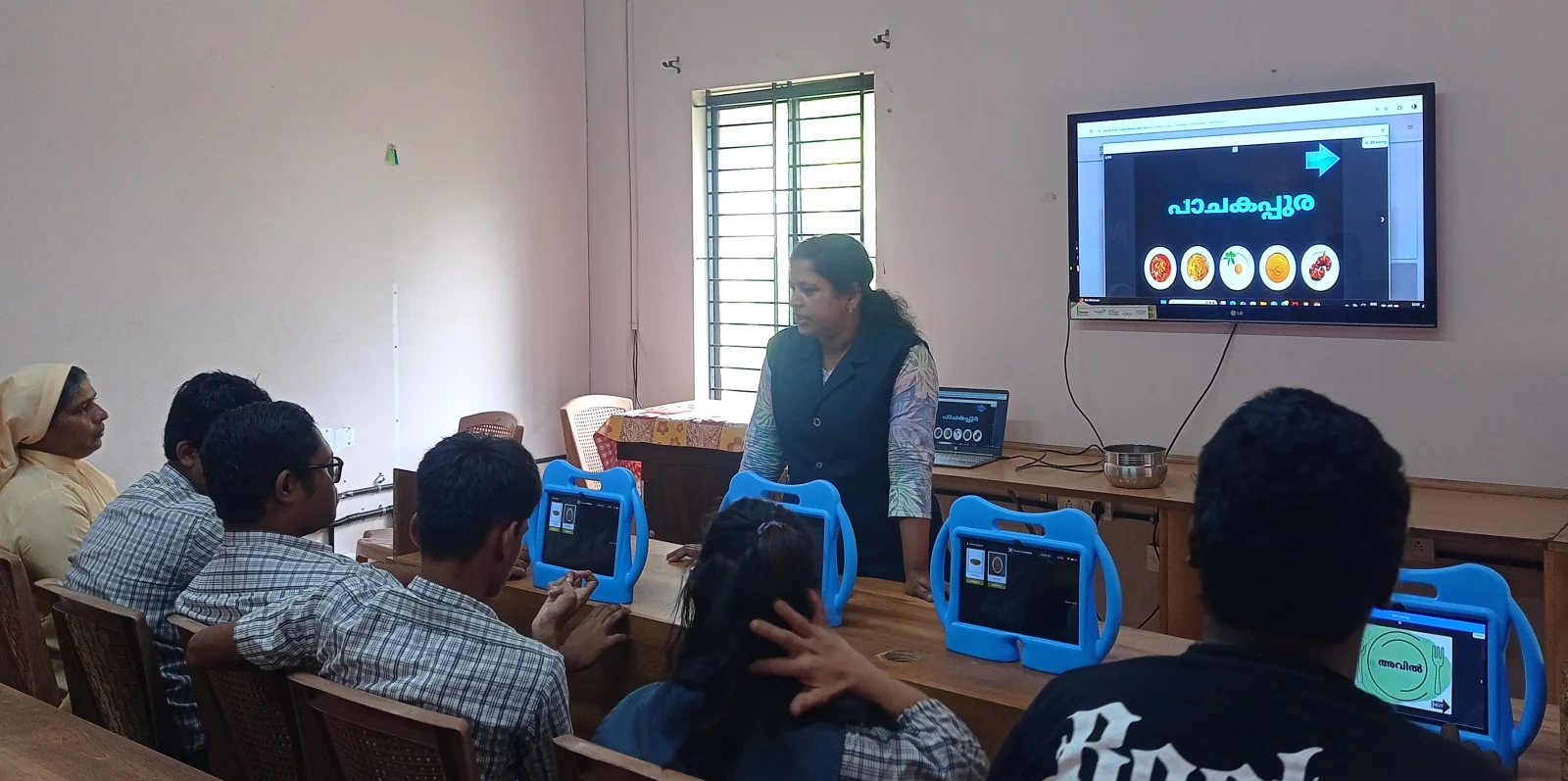
Each ingredient was presented with audio-visual content — children could see and hear each item clearly, with clear pronunciation of every ingredient name. The activity was structured so that children clicked to add ingredients to a virtual bowl in the correct sequence, with masking and sequencing built in to guide them through the right order every time.
The most important difference from the real-world session was this: children could repeat the activity as many times as they needed, at their own pace, without any additional preparation or resources. The digital version gave them the repetition that the hands-on activity alone could not.
What Teachers Observed
The change in engagement was visible. Children who had struggled to name the ingredients began identifying them confidently on screen. The audio cues helped anchor the visual memory. Students started anticipating which ingredient came next. Their curiosity and participation increased, and so did their focus.
It became clear that the hands-on activity had introduced the concept well — but the digital activity was giving children the structured, repeatable practice space they needed to truly internalise it.
“The digital activities helped students remember ingredient names much faster than traditional demonstrations alone. The combination of audio, visuals, and repeated practice greatly improved their confidence, attention, and ability to perform the activity independently.”— Teacher Observation
Before-and-After: What Changed
| Observation Area | Before Digital Intervention | After Digital Intervention |
|---|---|---|
| Identification of ingredients | Students could recognize ingredients but could not correctly name them. | Students correctly identified and named each ingredient. |
| Sequencing | Students added ingredients in random order. | Students followed the correct sequence independently. |
| Engagement | Moderate interest; frequent teacher prompts required. | High enthusiasm and active participation throughout. |
| Understanding | Required repeated demonstrations; took longer to understand. | Demonstrated improved understanding through repeated audio-visual practice. |
| Independence | Unable to complete the activity independently. | Successfully completed the recipe with minimal assistance. |
| Memory Retention | Limited retention after practical sessions. | Improved recall of ingredients and sequence during follow-up sessions. |
The Moment That Mattered
At the end of the one-week intervention, after sufficient practice on the digital platform, teachers organised the real-world activity again — this time as a practical assessment, in the presence of the school principal, Jeena Ma’am.
The improvement was clearly visible. All five students:
- Correctly identified the ingredients
- Named each ingredient confidently
- Added the ingredients in the proper order
- Successfully completed the aval mixing activity independently
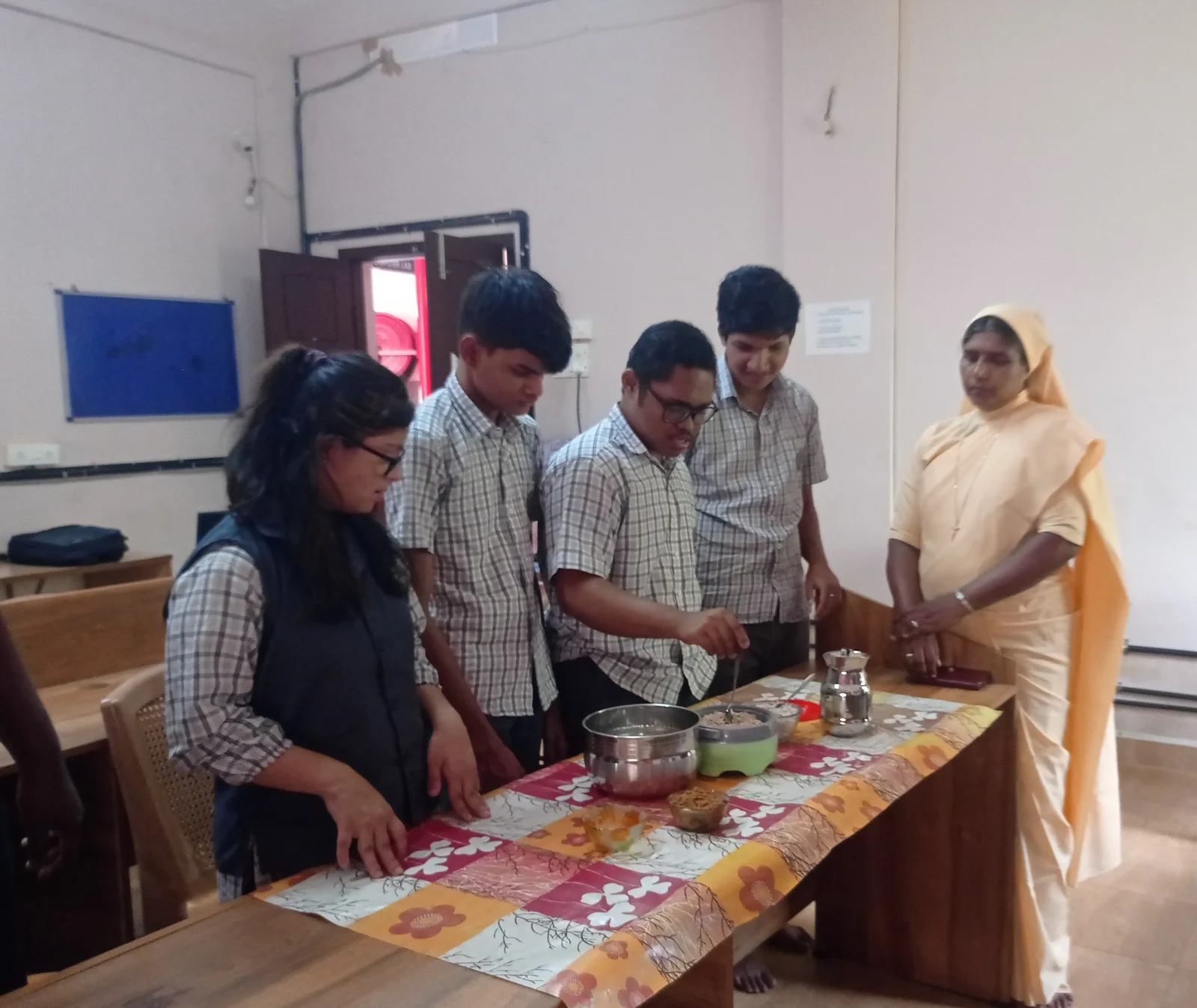
The children walked through the task independently, without prompting. And then, to celebrate their achievement, they happily shared the snack they had made with their teachers — a gesture reflecting both their confidence and their sense of accomplishment.
That small moment — children offering something they had prepared themselves — was the real measure of what had been achieved. Not a checklist or a test. Just children feeling genuinely capable, and wanting to share that feeling.
Jeena Ma’am was visibly moved by the transformation:
“We observed noticeable improvements in understanding, confidence, and independence after integrating digital activities into classroom teaching. The progress within just one week was truly impressive.”
— Jeena Ma’am, Principal, Ashakiran Special School
She also expressed her sincere gratitude to XceptionalLEARNING for providing a digital platform that meaningfully supports special education.
What This Experience Confirms
For children with special needs, neither traditional teaching nor digital learning alone is sufficient. Each serves a different purpose:
- Hands-on activities build real-world connection and sensory memory — they introduce the concept in a meaningful, physical way.
- Digital activities provide the structured repetition, audio-visual reinforcement, and sequencing support that make retention possible.
Together, they create a hybrid learning experience that is more powerful than either approach could achieve on its own. Within just one week, the students at Ashakiran demonstrated improved recall, sequencing, and confidence.
The aval activity at Ashakiran Special School is a clear example of what becomes possible when the right tools are used thoughtfully. Through VergeTAB and XceptionalLEARNING, this kind of structured digital support is made accessible to schools across the region — helping children build independence, one small step at a time.
For me, as a Special Educator visiting schools like Ashakiran, moments like these are the reason this work matters.
While this case study reflects the experience of one classroom, it demonstrates how thoughtfully combining hands-on teaching with structured digital practice can help children build meaningful daily living skills and greater independence.
Key Takeaways
- Hands-on learning introduces the skill — real ingredients and physical practice give the concept meaning and context.
- Digital repetition makes it stick — VergeTAB gave children unlimited, self-paced practice that classroom sessions alone couldn’t provide.
- Audio-visual cues support memory — pairing sound and image helped children recall and pronounce ingredient names more confidently.
- Sequencing improved measurably — students moved from random ordering to correctly sequencing steps independently.
- Independence was the real outcome — all five students completed the activity unaided, and their principal noted visible gains in confidence within a single week.
- Hybrid, not either/or — neither traditional nor digital teaching alone achieved this outcome; the combination did.
Ready to Bring Hybrid Learning into Your Classroom?
See how VergeTAB helps schools combine classroom teaching with interactive digital learning to improve student engagement, independence, and real-life skill development.
Anjuna M is a Digital Specialist – Special Educator at XceptionalLEARNING, supporting special schools across the Calicut region. Ashakiran Special School is one of the institutions she works with as part of her field role.